Privacy-First Parental Controls for AI Chatbots
Protect your children on ChatGPT, Claude, and Gemini. All filtering happens locally — no cloud, no data collection.
Why Kids Need Protection with AI
AI chatbots are powerful tools, but they come with real risks for children
Unregulated Screen Time
Kids can chat with AI late at night, bypassing traditional screen time limits or pretending to do homework while engaging in endless conversations.
Unsafe Topics
Children's natural curiosity can lead them to inappropriate content without warning. AI can provide detailed responses on topics they're not ready for.
Jailbreak Tricks
Widely shared prompts teach kids how to trick AI into ignoring its own safety filters, bypassing built-in protections that were meant to keep them safe.
Emotional Blindspots
Even when content isn't explicitly unsafe, emotional distress signals can be missed. AI doesn't alert parents when a child shares concerning feelings.
Everything You Need to Keep Your Family Safe
Comprehensive protection without compromising privacy
Privacy-First Architecture
All classification and filtering happens on your device. No prompts, responses, or usage data ever leaves your computer.
Two Interception Modes
Choose browser extension for simple setup, or MITM proxy for complete coverage of all apps and devices on your network.
Per-Child Profiles
Create individual profiles with different rules for each child. Link profiles to OS user accounts for automatic switching.
Tiered AI Classification
Fast keyword matching catches obvious issues. ML-based analysis provides nuanced understanding of context and intent.
Time-Based Rules
Set daily usage limits and allowed hours. Perfect for managing screen time and ensuring healthy AI usage habits.
Content Category Filtering
Block specific content types: jailbreaks, violence, adult content, self-harm, and more. Customize for each profile.
Emotional Wellbeing Monitoring
Detect concerning patterns like depression, anxiety, or self-harm discussions. Get alerts to stay informed about your child's needs.
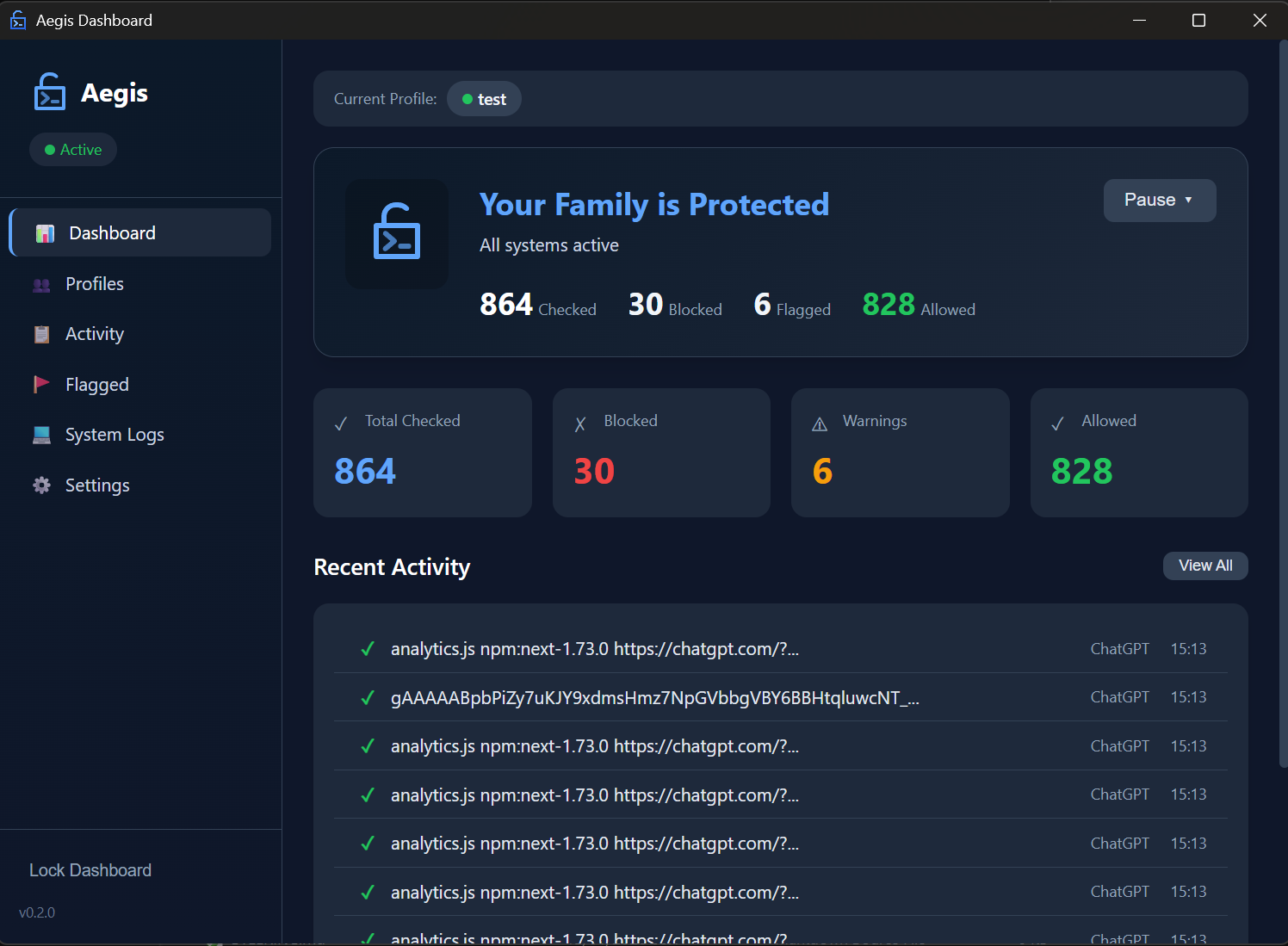
Parent Dashboard
Review activity logs, manage profiles, and configure rules from a clean, intuitive interface. Export data anytime.
NSFW Image Filtering
Block explicit images from AI image generators like DALL-E, Stable Diffusion, and Grok. ML-powered detection runs locally with age-appropriate sensitivity levels.
AI Image Generation Protection
Block explicit and NSFW content from AI image generators before it reaches your child
ML-Powered Detection
Uses a Vision Transformer (ViT) neural network to classify images in real-time. All processing happens locally on your device — no images are ever sent to external servers.
Age-Appropriate Thresholds
Choose sensitivity levels based on your child's age: Child (aggressive blocking), Teen (balanced), or Adult (permissive). Customize thresholds per profile.
Comprehensive Coverage
Protects against explicit prompts, generated images, and uploaded images across DALL-E, Stable Diffusion, Grok Aurora, Leonardo.ai, Midjourney API, and more.
Complete Activity Logging
Every blocked image is logged with timestamp, category, and action taken. Review what was blocked without exposing explicit content.
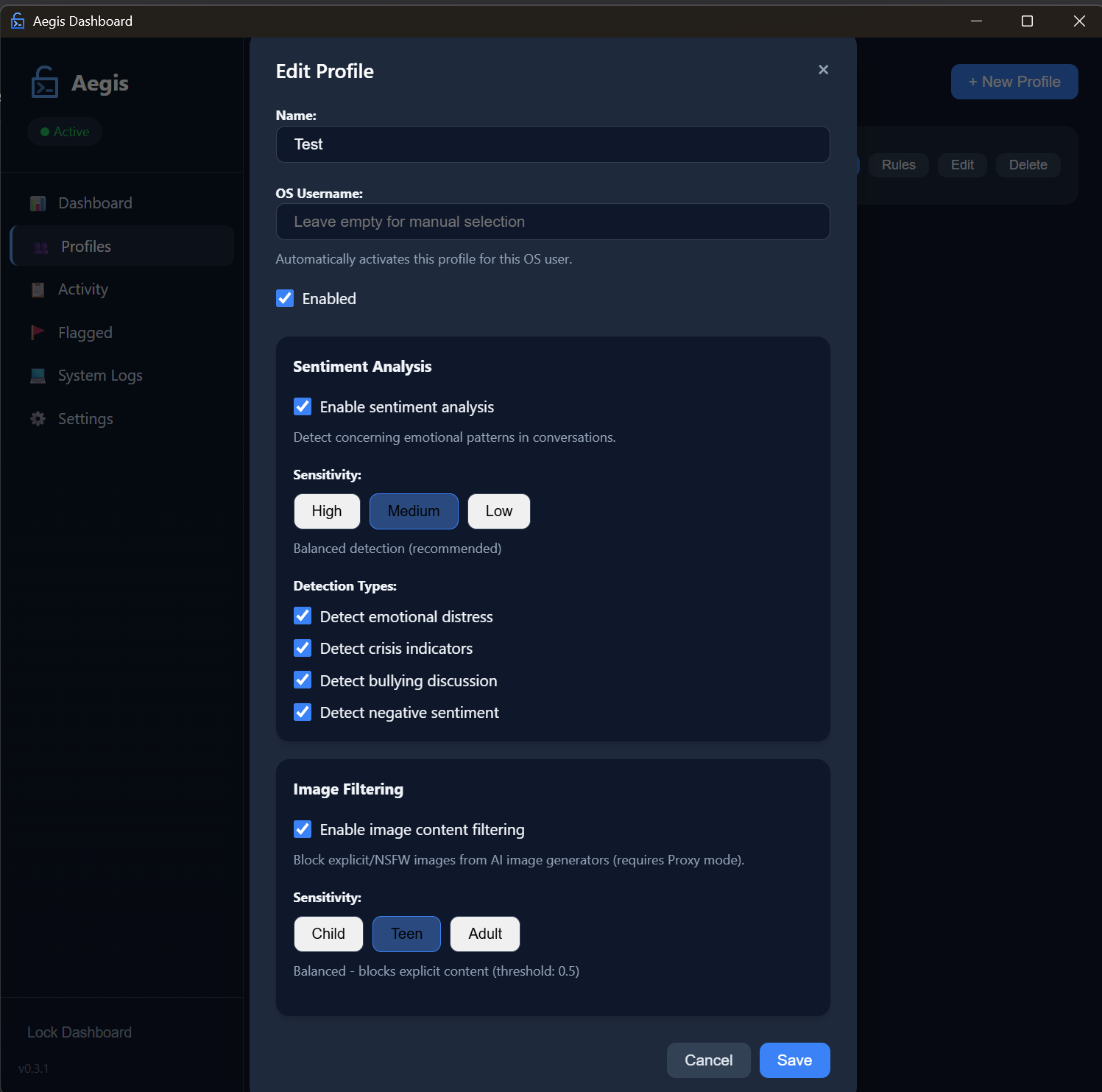
Configure filtering sensitivity per profile
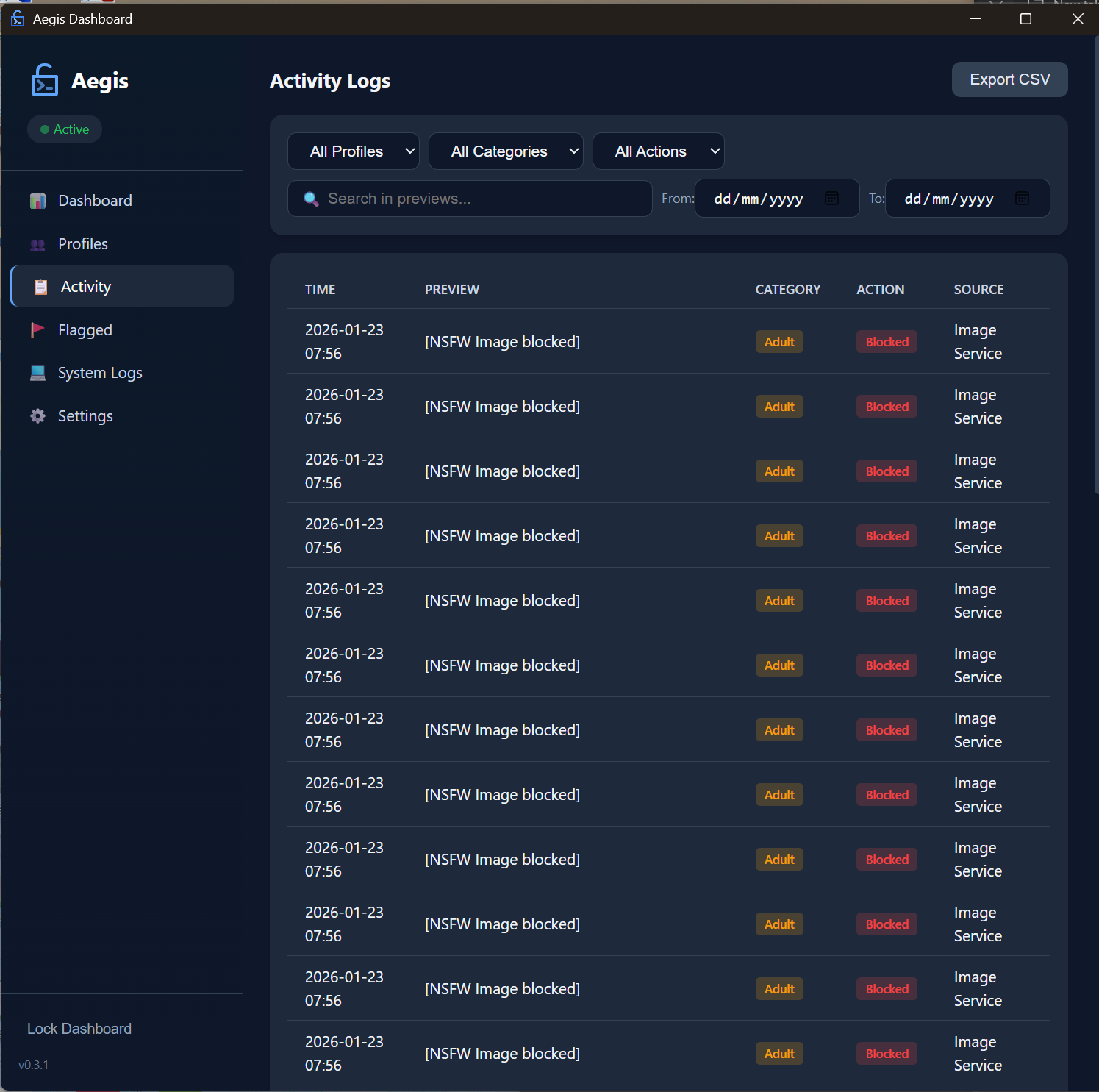
Review blocked content in Activity Logs
Get Started in Minutes
Simple setup, powerful protection
Download
Get the installer for Windows, macOS, or Linux. Installation takes just a few clicks.
Setup
Create profiles for each child, choose filtering rules, and select your interception mode.
Protect
Aegis runs silently in the background. Review logs anytime from the parent dashboard.
Comprehensive Coverage
Protect your family across all major AI platforms
AI Chat Platforms
AI Image Generators
Operating Systems
Ready to Protect Your Family?
Download Aegis free and start protecting your children today.
View source on GitHubFrequently Asked Questions
Everything you need to know about Aegis
Yes, Aegis is completely free and open source under the MIT license. There are no premium tiers, subscriptions, or hidden costs. You can download, use, and modify the software freely.
No. All processing happens locally on your device. Aegis never sends prompts, responses, or any user data to external servers. Your family's conversations stay private.
No. Aegis is designed for minimal resource usage. The keyword matching runs in under 1ms, and even the ML-based classification adds less than 100ms latency. You won't notice any slowdown.
Aegis includes tamper protection. Stopping the service or uninstalling requires parent authentication. The browser extension cannot be disabled without admin access to the browser.
Aegis supports ChatGPT, Claude, Google Gemini, Microsoft Copilot, Perplexity, Poe, and Bing Chat. New platforms are added regularly.
Currently, Aegis is a desktop application for Windows, macOS, and Linux. Mobile support is on our roadmap. For now, you can use the proxy mode to filter traffic from any device on your home network.
Yes, Aegis includes NSFW image filtering that blocks explicit content from AI image generators like DALL-E, Stable Diffusion, Grok Aurora, and more. It uses a local ML model to classify images in real-time with age-appropriate sensitivity levels (Child, Teen, Adult). All processing happens on your device — images are never sent to external servers.